The Hidden Cost of a Cluttered Workspace
Replacing your dual monitors with a 49-inch ultrawide can completely transform your daily workflow, but picking the wrong display is a $1,300 mistake you want to avoid.
If you run an online business, manage projects, or work remotely as a virtual specialist, your screen setup directly impacts your speed and accuracy.
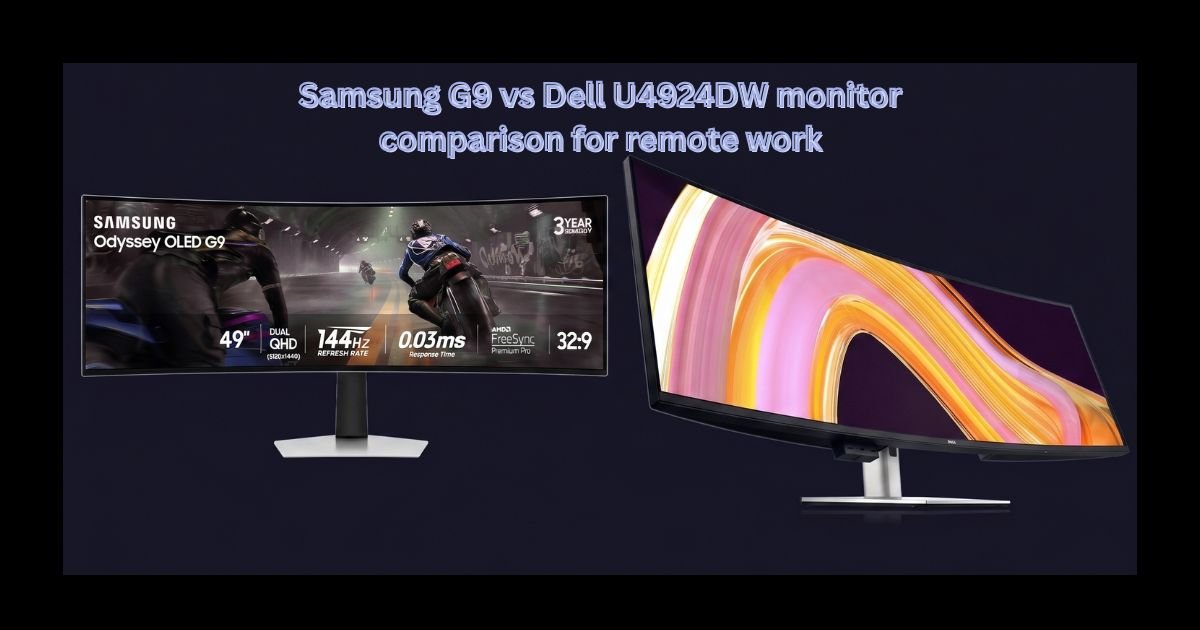
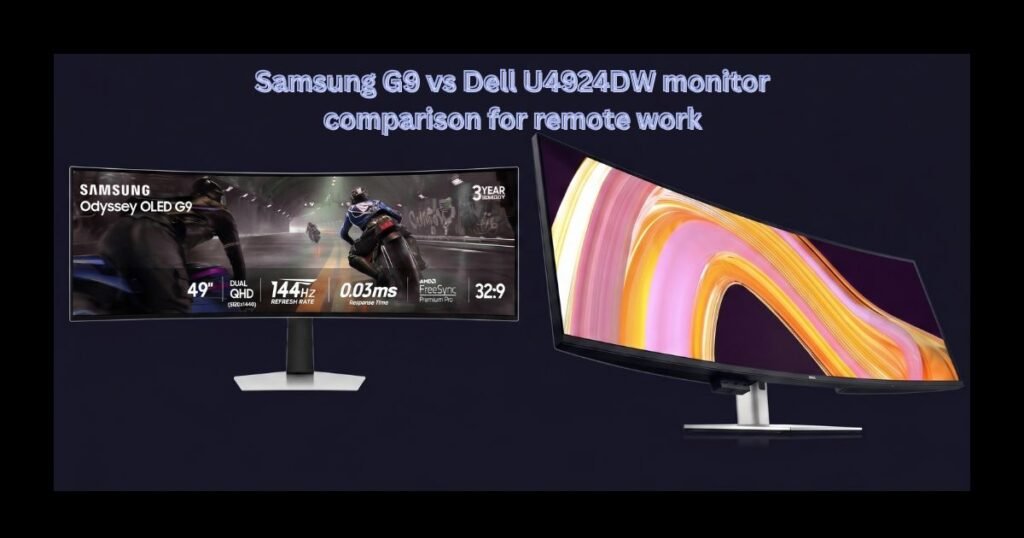
When comparing the Samsung Odyssey OLED G9 against the Dell UltraSharp U4924DW, slick marketing ads leave out two critical details:
- One monitor delivers vibrant contrast, but carries a hidden flaw that can permanently damage the panel if you work with static spreadsheets and admin dashboards all day.
- The other monitor focuses purely on office efficiency, packing a built-in power hub that eliminates extra laptop docks, clears cable clutter, and lets you control two computers with a single mouse and keyboard.
A four-figure monitor should bulletproof your workflow, but slick marketing ads leave out two critical traps:
- The Silent Hazard: One of these monitors delivers breathtaking visuals but carries a hidden flaw that can permanently ruin your screen if you leave spreadsheets open all day.
- The Cable Solution: The other lacks extreme gaming specs but packs a subtle internal hub that can power your entire setup, clear your desk of wires, and seamlessly switch between two laptops.
Which monitor will actually protect your time and multiply your business output?
Before you invest in your home office, discover which display actually delivers a real return on your time and money.
Read our full, unvarnished breakdown below before making an expensive mistake
Table of Contents
The Promise vs. The Expensive Trap
To reclaim lost hours and protect their daily focus, thousands of business leaders and digital operators are making the leap to 49-inch super-ultrawide monitors. Replacing two physical screens with one seamless, curved display instantly transforms how you view your entire business operations at a single glance.
Naturally, two major market leaders dominate the conversation: the Samsung Odyssey OLED G9 and the Dell UltraSharp 49 (U4924DW).
Both cost well over $1,000. Both promise to double your daily output.
However, making an impulse purchase based solely on impressive ad specs can lead to a costly mistake.
What Most Tech Reviews Leave Out
A four-figure display should simplify your workday, not create new operational headaches.
Yet, many online professionals buy the flashiest monitor on the market only to discover a frustrating truth months down the road:
- One of these monitors has a stunning display, but harbors a silent vulnerability that can permanently ruin the screen if you keep static spreadsheets or dashboards open all day.
- The other monitor focuses less on raw gaming speed, but packs a hidden internal hub that can power your entire setup, clear every stray cable off your desk, and seamlessly switch between two laptops with a single click.
If you choose the wrong screen for your actual daily routine, you risk either burning out your expensive hardware or overpaying for extreme gaming features that offer zero return on your business investment.
Make the Right Choice for Your Desk
To protect your hard-earned budget and ensure you get maximum efficiency out of your home setup, you need an honest breakdown of how these displays perform during real, high-demand workdays.
Read through to the end of this full comparison to discover:
- How panel technology affects eye strain during 8+ hour operational shifts.
- Which monitor completely eliminates the need for expensive external laptop docks.
- The exact features that deliver a measurable return on your investment.
Ready to Upgrade Your Workflow?
Do not let a cluttered setup drain your time or energy any longer. Dive into our complete, step-by-step breakdown below to discover which 49-inch ultrawide deserves a place on your desk.
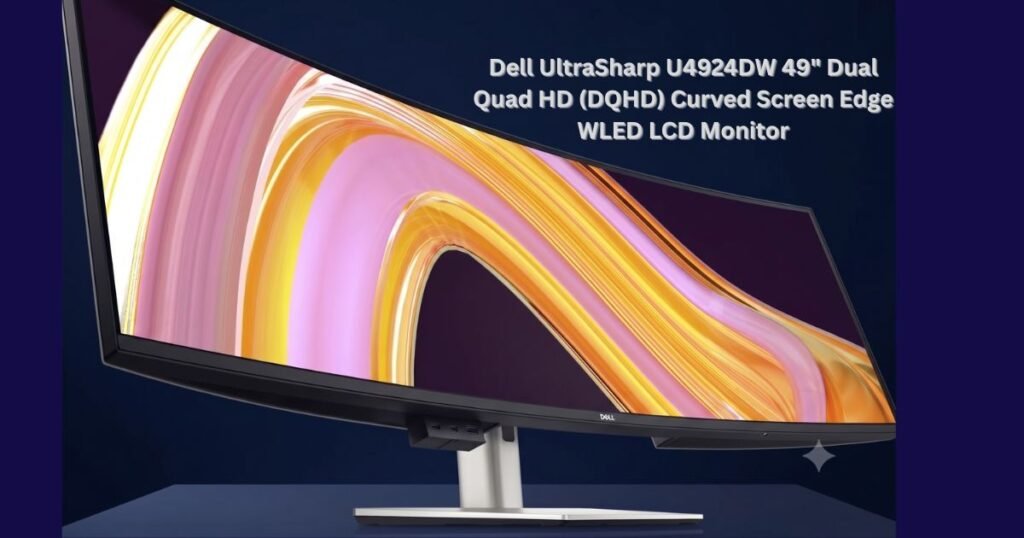
These massive, 32:9 aspect ratio displays provide the exact same real estate as two 27-inch 1440p monitors, seamlessly fused into a single, uninterrupted digital canvas. For project coordinators, virtual assistants, and executives, this represents a massive leap in operational efficiency. You can view your Asana boards, Google Workspace applications, and communication channels simultaneously without ever minimizing a window.
Today, we are putting two of the most premium super-ultrawides on the market head-to-head through a strict operational lens: The Samsung 49-Inch Odyssey OLED G9 (G95SC) and the Dell UltraSharp 49 Curved USB-C Hub Monitor (U4924DW).
Both retail for well over $1,000 and promise to revolutionize your workflow, but they take completely different approaches to achieving that goal. Let’s break through the marketing hype and determine which investment truly multiplies your productivity.
Samsung G9 vs Dell U4924DW at a Glance.
Before diving into the operational deep end, we need to establish the technical foundations of both displays. While they share the same massive 49-inch footprint and 5120 x 1440 resolution, their panel technologies and core features dictate entirely different use cases.
The Samsung Odyssey OLED G9 (G95SC)
The Odyssey OLED G9 is a technological marvel designed primarily to push the boundaries of visual fidelity and speed.
- Panel Technology: QD-OLED (Quantum Dot OLED).
- Resolution: Dual QHD (5120 x 1440).
- Refresh Rate: Max 240Hz.
- Response Time: 0.03ms (GTG).
- Curve: 1800R.
- Contrast Ratio: 1,000,000:1.
- Unique Features: Built-in Smart TV platform, wireless DeX, Micro HDMI, and a shockingly thin profile.
The Dell UltraSharp 49 (U4924DW)
The Dell UltraSharp U4924DW is built from the ground up for elite office productivity. It sacrifices gaming-centric speed for unparalleled connectivity and text clarity.
- Panel Technology: IPS Black LCD.
- Resolution: Dual QHD (5120 x 1440).
- Refresh Rate: 60Hz.
- Contrast Ratio: 2000:1.
- Unique Features: Massive built-in USB-C hub with 90W Power Delivery, integrated RJ45 Ethernet (2.5GbE), internal KVM switch, and built-in 9W stereo speakers.
Panel Technology & Visual ROI
The most significant difference between these two monitors lies in the panels themselves. Understanding how OLED compares to IPS Black is crucial for remote professionals who stare at spreadsheets and text-heavy applications for eight hours a day.
Understanding the difference between OLED and IPS Black is essential when comparing the Samsung G9 vs Dell U4924DW for daily office use.
Samsung’s QD-OLED: Infinite Contrast and Speed
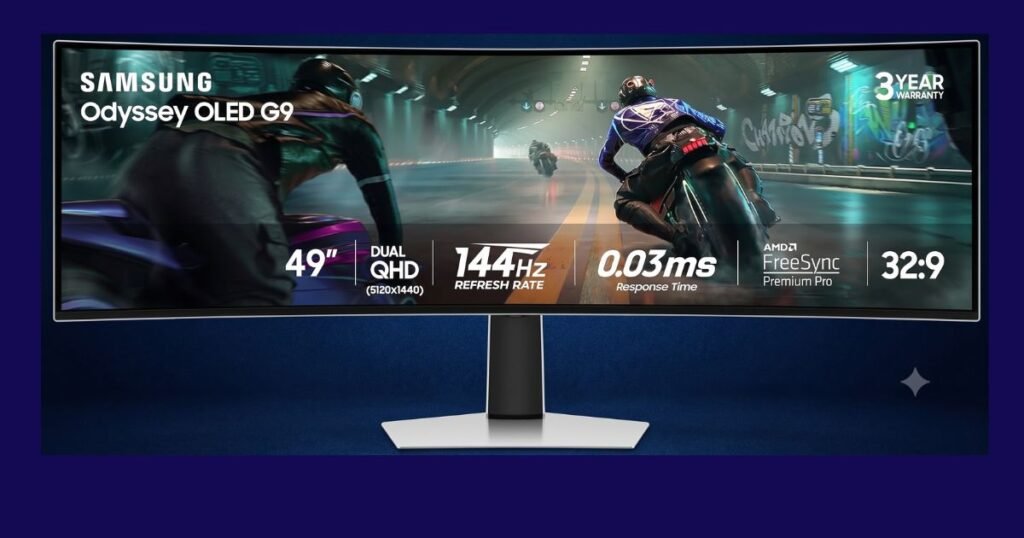
OLED technology works by allowing each individual pixel to turn itself on and off independently. This means that when the monitor needs to display the color black, it completely shuts off the power to those specific pixels, resulting in a static contrast ratio of 1,000,000:1. The visual impact is stunning. Colors pop with incredible vibrancy, and if you work in “dark mode” across your applications, the background is a true, deep void rather than a glowing gray.
Furthermore, the 240Hz refresh rate and 0.03ms response time make moving windows around the screen feel impossibly fluid. Dragging a Trello card across the desktop leaves zero ghosting or blur.
The Operational Drawback: OLED panels come with a well-documented risk: burn-in. When static elements—such as a Windows taskbar, the URL bar in Google Chrome, or the gridlines of an Excel spreadsheet—remain on the screen for hours on end, they can permanently degrade the pixels, leaving a faint “ghost” image behind. While Samsung employs panel care technologies to mitigate this, the reality is that heavy operational use (staring at static project management dashboards for 40+ hours a week) is the exact use-case that accelerates OLED wear. Additionally, the subpixel layout of some QD-OLED panels can cause text to look slightly fringed or less sharp compared to traditional monitors, which can induce eye strain during heavy reading sessions.
Dell’s IPS Black: The King of Text Clarity
Dell opted for IPS Black technology for the U4924DW. Traditional IPS panels are famous for excellent viewing angles and color accuracy but suffer from “IPS glow,” where blacks look like milky dark gray in dim rooms. IPS Black doubles the traditional contrast ratio to 2000:1. While it cannot match the infinite contrast of Samsung’s OLED, it provides significantly deeper blacks than standard office monitors, making prolonged screen time much easier on the eyes.
The Operational Advantage: The IPS Black panel shines where operations professionals need it most: text clarity. Spreadsheets, PDF documents, and long email threads are rendered with surgical sharpness. Because it is an LCD panel, the risk of burn-in is essentially zero. You can leave a static financial model on the screen for three straight days without a second thought. The 60Hz refresh rate is significantly slower than the Samsung, meaning mouse movements won’t feel as buttery smooth, but for non-video editing operational tasks, 60Hz remains the industry standard.
Connectivity and The “One Cable” Setup
When comparing connectivity in the Samsung G9 vs Dell U4924DW, port selection becomes a major deciding factor for remote setups.
In a modern remote workspace, cable management is a serious operational concern. Cluttered desks lead to distracted minds. Here, the philosophies of Samsung and Dell diverge wildly.
When evaluating desk space and cable management in the Samsung G9 vs Dell U4924DW, port selection becomes a major deciding factor
Dell U4924DW: The Ultimate Hub
The Dell UltraSharp acts as a massive docking station built directly into your monitor. It features a robust USB-C upstream port that delivers up to 90W of Power Delivery. This means you plug a single USB-C cable into your work laptop, and the monitor instantly charges your machine, routes the video signal, and connects your laptop to the entire suite of ports hidden on the back of the display.
And that suite of ports is staggering. It includes:
- An RJ45 Ethernet port (2.5GbE) for hyper-stable wired internet, which is critical for seamless Zoom calls.
- Four USB Type-A downstream ports (SuperSpeed USB 10 Gbps).
- Two additional USB Type-C downstream ports.
- Integrated 9W stereo speakers that are clear enough for video conferencing.
Furthermore, Dell includes a built-in KVM (Keyboard, Video, Mouse) switch with an auto function. If you juggle two machines—for example, a corporate-issued Dell laptop and a personal MacBook—you can plug your mouse and keyboard directly into the monitor. When you switch the video input from the PC to the Mac, the monitor automatically routes your keyboard and mouse to the active computer. This completely eliminates the need for external hubs and dongles.
Samsung OLED G9: Minimalist but Limited
The Samsung takes a much more consumer-centric approach. Its impossibly thin design doesn’t leave room for a massive corporate I/O hub. While it includes standard DisplayPort and HDMI inputs, it lacks the powerhouse 90W USB-C connectivity found on the Dell.
If you use the Samsung, you will almost certainly need to purchase a separate, high-quality Thunderbolt docking station to charge your laptop and route your peripherals. This adds hidden costs (a good dock runs $200+) and puts more clutter back on your desk.
However, Samsung does offer unique wireless features. The monitor functions as a Smart TV hub, meaning you can stream Netflix or YouTube directly from the display without turning on your PC. It also supports Wireless DeX, allowing you to project a desktop environment directly from a compatible Samsung Galaxy smartphone. While impressive, these features lean heavily toward entertainment rather than optimizing a professional workflow.
Workflow Scenarios and Window Management
Having 49 inches of screen space is useless if you cannot organize your applications effectively. Both monitors offer solutions for managing dual QHD (5120×1440) real estate.
Scenario: The Executive Coordinator Imagine coordinating a major product launch. On the left third of your screen, you have your company’s Slack channels open. In the center, a massive, un-scrunched Asana timeline view detailing task dependencies. On the right third, your email inbox and a Gemini AI prompt window for drafting communications.
- Dell’s Approach: Dell utilizes its proprietary Dell Display Manager software. This application allows you to create highly customised snap-grids. You can partition the screen into three, four, or even customised asymmetrical zones. When you drag a window into a zone, it snaps perfectly into place. It also supports internal Multi-Stream Transport (iMST) and Picture-by-Picture, meaning you can split the screen directly down the middle, displaying your work laptop on the left 27 inches and your personal desktop on the right 27 inches, seamlessly.
- Samsung’s Approach: The G9 relies heavily on Windows 11’s native Snap Layouts or third-party tools like Microsoft PowerToys (FancyZones). It also supports Picture-by-Picture, allowing two distinct inputs to share the screen. However, the aggressive width of the monitor combined with the 1800R curve means managing multiple complex data windows feels incredibly immersive.
The Curve Factor: The Samsung G9 features an 1800R curve, meaning the edges of the screen wrap significantly around your peripheral vision. This is excellent for maintaining a uniform focal distance from your eyes to the edges of the screen. The Dell U4924DW uses a much gentler curvature. While some prefer the aggressive wrap-around of the Samsung for gaming, the Dell’s gentler curve is often preferred for architecture, graphic design, and financial modeling, as it prevents straight lines (like the rows of an Excel spreadsheet) from appearing distorted or bowed.
Ergonomics & Build Quality in the Samsung G9 vs Dell U4924DW
Remote professionals spend thousands of hours staring at these devices. Ergonomics are not a luxury; they are a health requirement.
Stand and Adjustability
Both monitors feature heavy-duty stands capable of supporting their massive weight. The Dell U4924DW allows you to tilt, swivel, and adjust the height of the monitor to ensure optimal ergonomic posture. The Samsung also offers robust height and tilt adjustments, though its aggressive styling and CoreSync RGB lighting on the back panel scream “gaming setup” rather than “executive suite.”
Eye Fatigue
Dell takes the crown for eye health. The U4924DW features ComfortView Plus, an always-on, built-in technology that actively reduces harmful blue light emissions without aggressively yellowing the screen. It is also TUV Rheinland Flicker-free and Low Blue Light Certified.
Energy Consumption
When optimizing a home office for 24/7 operations, power consumption matters.
- The Dell UltraSharp consumes an average of 45W in standard work mode, peaking at 290W when fully utilizing its power-delivery charging capabilities. It is ENERGY STAR qualified and EPEAT Gold certified, meeting strict corporate sustainability standards.
- The Samsung OLED G9, due to its panel technology and high refresh rates, consumes up to a maximum of 220W.
Value for Money & The Final Verdict
ustifying the premium price tag is the most critical aspect of the Samsung G9 vs Dell U4924DW debate for business owners.
Ultimately, in this Samsung G9 vs Dell U4924DW showdown, your choice comes down to whether you prioritize high-speed visual performance or seamless office connectivity.
At the time of writing, both of these monitors represent a significant financial investment, often fluctuating between $1,200 and $1,800 depending on Amazon sales cycles.
How do we define the operational ROI? If you currently use two $400 monitors, a $250 Thunderbolt docking station, and a $100 KVM switch, your desk is littered with nearly $1,150 worth of hardware, half a dozen power cables, and the constant friction of the bezel gap. Condensing all of that into a single, elegant unit immediately justifies the premium price tag for high-earning remote professionals.
Who Should Buy the Samsung Odyssey OLED G9?
If your workflow involves creative media—video editing, high-end graphic design, or animation—the infinite contrast, true blacks, and 240Hz refresh rate of the QD-OLED panel are unmatched. Furthermore, if you plan to use this monitor for high-end PC gaming after you clock out of your operational roles, the Samsung is the clear winner. The visual experience is nothing short of breathtaking. However, you must be willing to baby the OLED panel to prevent spreadsheet burn-in, and you must tolerate a more complex cable setup.
Who Should Buy the Dell UltraSharp 49 (U4924DW)?
This is the ultimate, undisputed champion for operations support specialists, virtual assistants, project coordinators, and executives. The Dell U4924DW is a purpose-built productivity weapon.
The IPS Black panel provides deep contrast with zero risk of static burn-in. The text clarity is flawless. But the true value lies in the connectivity. The built-in 90W USB-C hub, RJ45 Ethernet, and internal KVM switch eliminate the need for docking stations, radically simplifying your workspace. It is an investment in pure, unadulterated efficiency.
The TechCompassReview Verdict: Honest over hype: For the remote professional managing projects and optimizing digital workspaces, the Dell UltraSharp U4924DW is the superior operational investment. It integrates flawlessly into a business environment, protects your eyes during long shifts, and completely eliminates workflow friction.
Choosing a winner in the Samsung G9 vs Dell U4924DW showdown ultimately depends on your exact daily operational needs.
Disclaimer: TechCompassReview evaluates hardware strictly based on operational value. If you decide to upgrade your workspace, clicking the Amazon links above helps support our independent review process at no additional cost to you.